Cash
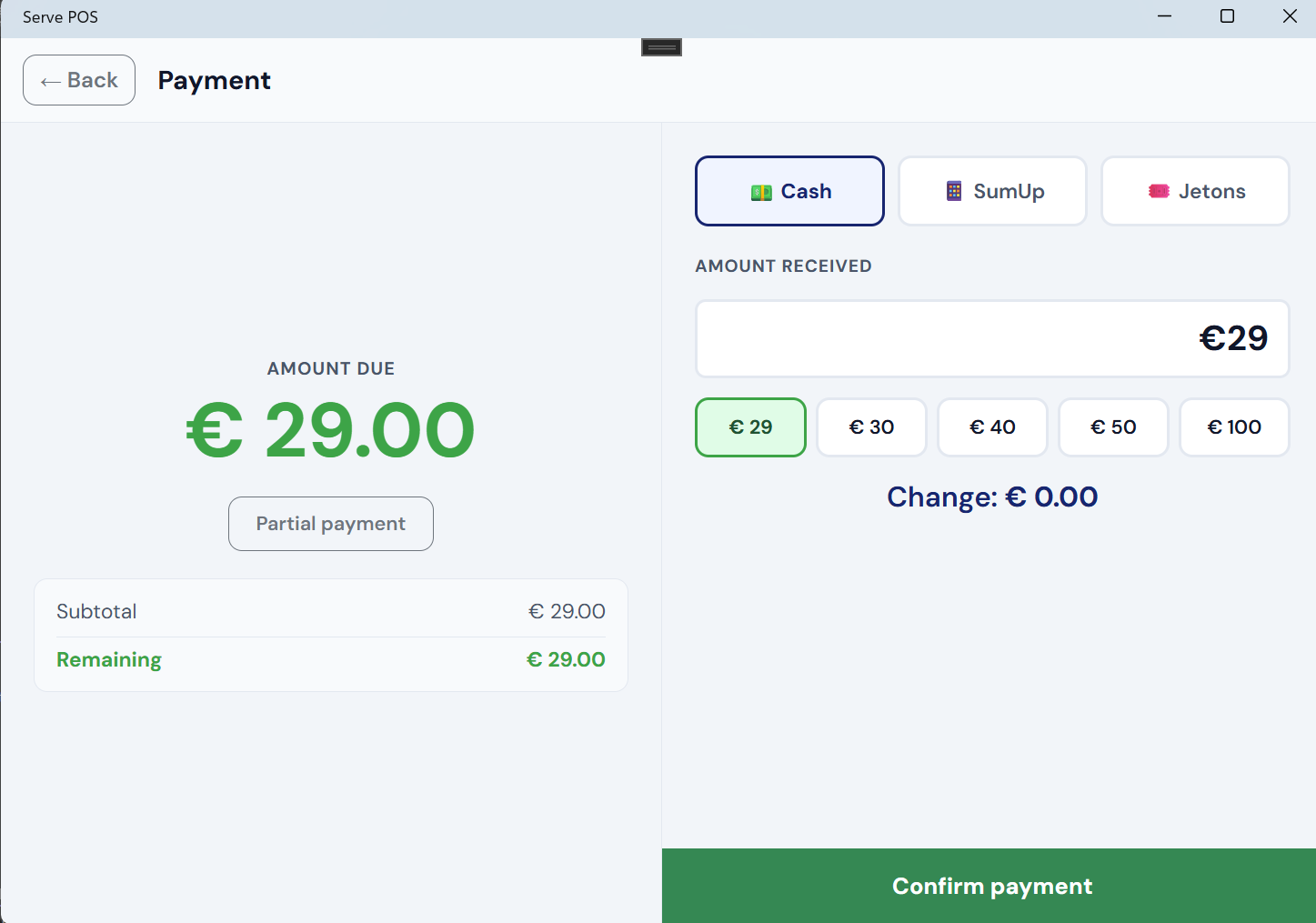
Cash is still the most common payment method at sports clubs, and Serve POS handles it with zero setup. Tap the tab, tap Settle, select Cash, and confirm. The payment is recorded immediately.
There is no cash drawer integration, but Serve POS includes a simple change helper: after selecting cash, the app suggests a few common round amounts and shows the exact change to return to the customer.
Bancontact QR
Bancontact — previously known as Payconiq — is Belgium's dominant payment network. Serve POS supports three ways to accept Bancontact payments:
- Static sticker, manual confirmation: Stick a Bancontact QR sticker on the counter or table. The bartender selects Bancontact on the payment screen, then the customer scans the sticker with their banking app and pays. The bartender confirms manually — either once the payment appears in the bank overview, or when the customer shows the confirmation on their phone. No API setup required.
- Sticker with Bancontact API integration: The bartender selects Bancontact on the payment screen. The customer scans the fixed sticker (or the QR code in the app) with their banking app and pays. Via the Bancontact Pro API integration, the payment is confirmed automatically when received. The bartender also has the option to confirm manually from the live list of incoming payments.
- Fully automatic: The app generates a unique QR code per transaction with the exact amount pre-filled. The customer scans and pays. Serve POS detects the payment automatically and closes the transaction. Zero manual steps.
Most clubs switch to fully automatic once they've set up the API once. The sticker mode without API is ideal if you want to get started quickly without any technical configuration.
Bank app (SEPA QR)
SEPA QR is a free alternative for clubs that don't want to pay for a Bancontact integration. The app generates a QR code that the customer scans with their banking app to initiate a bank transfer — with no transaction fees.
The downside is that bank transfers are not confirmed in real time. The bartender must confirm the payment manually once the transfer arrives, or when the customer shows the confirmation on their phone.
Card terminal (SumUp / myPOS) — beta
Serve POS integrates with two card terminal providers: SumUp Solo and myPOS. When you select card payment, the app sends the payment amount to the terminal via the cloud API. The customer taps, inserts, or swipes their card on the terminal. When the terminal confirms, the app records the payment automatically.
No manual amount entry on the terminal, no risk of mismatched amounts. The total flows directly from the tab to the terminal and back.
Tokens (Jetons)
Some clubs use physical tokens — pre-purchased at the start of an event, a season, or at the entrance desk. Serve POS supports token payments natively. Each product has a token price calculated automatically from the token value you set in settings (for example: 1 token = €0.50, so a €2.00 drink costs 4 tokens).
Token payments are recorded separately in the end-of-day report, making it straightforward for the treasurer to reconcile tokens sold versus tokens spent.
All methods available for every sale
All active payment methods appear on the same payment screen, for every tab settlement and every direct sale. The bartender simply picks the method the customer wants — there is no need to switch modes or navigate to separate screens.