Built for the door, not the bar
Most club events are more than a cafeteria evening — a tournament, a match, a quiz night. Someone stands at the door collecting an entrance fee while, often, someone else is running the bar at the same time. That's a different job with a different rhythm: no browsing a product grid, just "how many, what rate, next."
Serve POS calls this Admission. It's a dedicated screen with a handful of large tariff buttons — Adult, Child, Member — built so a volunteer can move through a queue without slowing down to think.
Families and groups in one go
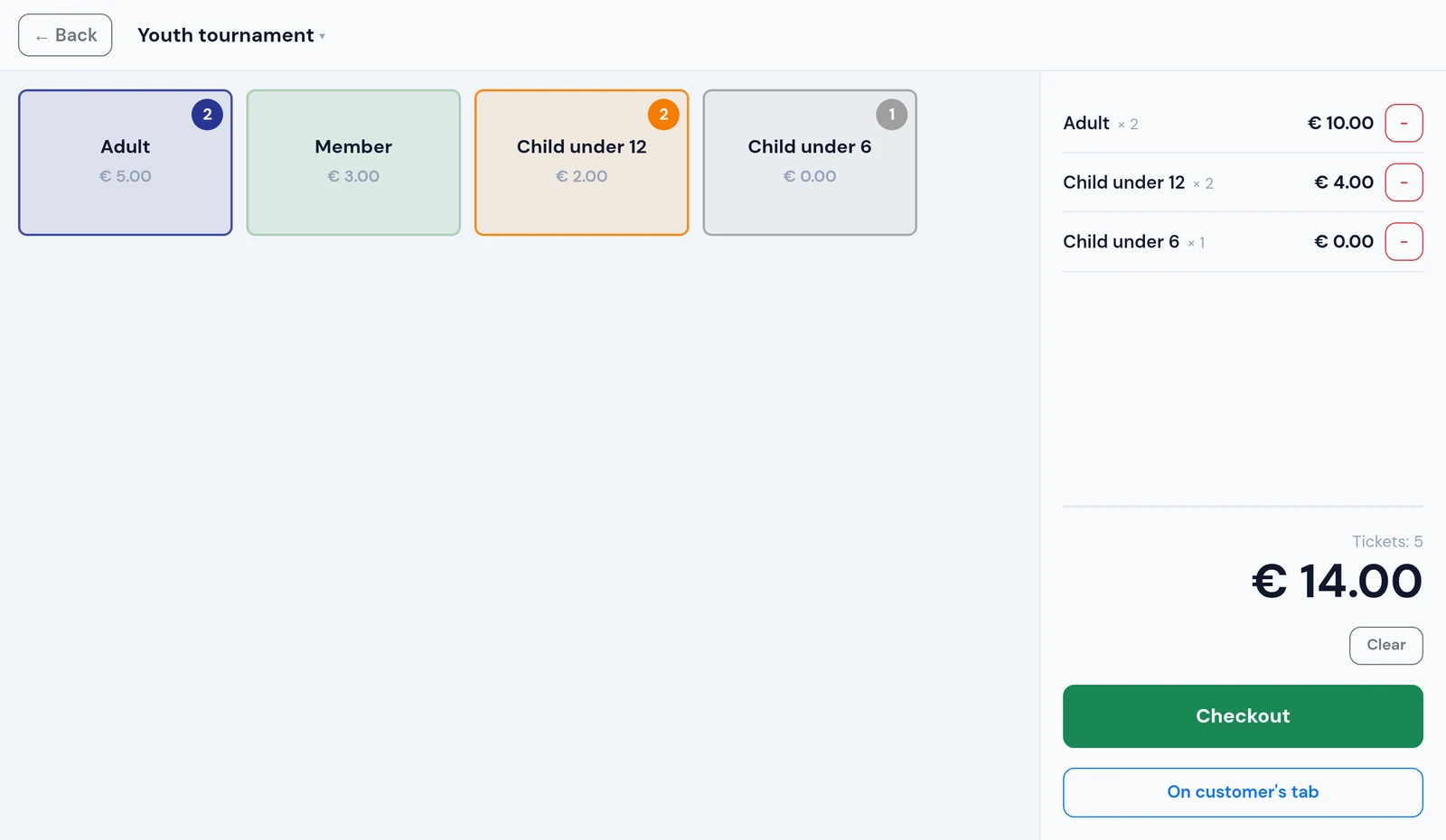
A family of five doesn't want to be checked in one person at a time while everyone waits behind them. On the Admission screen, tapping a tariff adds one ticket and shows a running count on the button — tap it again for the next person. Two adults and three children is five taps, and the running total is visible the whole time, ready to read out before anyone pays.
Made a mistake? A ticket list on the side lets you remove one at a time, or clear the whole group and start over — before anything is charged.
Multiple events, free tickets, and checkout
A club can set up more than one tariff set — a quiz night and a dinner running on different evenings both keep their own pricing. If more than one is configured, the volunteer picks which one they're selling for when they open the screen; with just one, it opens straight to the tariffs. The choice stays local to that device, so two doors can run two different events at once.
A tariff priced at €0 is a free ticket — for players, committee members, or children under a certain age. If an entire group is free, checkout is skipped and the tickets are recorded immediately: free visitors are still counted, they just cost nothing.
When it's time to pay, checkout opens the same payment screen used everywhere else in Serve POS, with the amount already filled in. Confirm, and you're back on Admission for the next visitor — not on the main tab overview.
Every payment method, no extra setup
Admission doesn't have its own reduced set of payment options. Cash, Bancontact QR, card terminal, tokens, and bank app — whichever your club already accepts at the bar works at the door too.
→ Read more about all available payment methods
A separate closing sheet for the door
Cafeteria sales and admission money are two different envelopes, counted by two different people — Serve POS keeps that distinction in Reporting. A scope switch filters the entire report, including the export, to Everything, Cafeteria, or Admission alone.
The Admission view breaks tickets down per event and per tariff, with its own totals per payment method — everything the person running the door needs to close out their own cash box, separate from the bar.
One thing to know: Serve POS counts tickets, not people. If your club prices a whole family as a single "Family" tariff, that's one ticket in the report, not four — tap once per person instead if an exact head count matters to you.